
If you are buying for a PC gamer and don’t know much about gaming gear, the safest gifts are the small desk upgrades they use every day but rarely buy for themselves. This list covers eight of them from Logitech, Razer, Corsair, Anker, Microsoft and other established brands, split into gifts under $25 and under $50, with a quick check at the end so the gift fits their setup.
Players Enclave is reader-supported. Product links on this page go to Amazon, and as an Amazon Associate we earn from qualifying purchases, at no extra cost to you.
Quick picks
- Safest all-round gift: Razer Gigantus V2 XXL desk mat
- For a gamer still using an office mouse: Logitech G203 LIGHTSYNC
- For someone who plays with an Xbox controller on PC: Xbox Rechargeable Battery + USB-C Cable
- For a messy desk: VELCRO Brand ONE-WRAP cable ties
Prices on Amazon change daily, so we group gifts by budget rather than quoting a figure. Each product below sits in its band at its normal list price, not only during a sale. With a bigger budget for one upgrade, see our gift ideas for PC gamers under $100, and for smaller extras, our stocking stuffers for gamers under $25. Shopping for a whole new laptop or PC? Read our Black Friday gaming laptop and PC deals guide, or see our gift ideas for gaming laptop owners and gaming setup gift ideas for teens. Got a gift card? See our gaming upgrades to buy with a gift card.
PC gaming gifts under $25
Anker 4-Port USB 3.0 Ultra Slim Data Hub
- Who it suits: the gamer who is always unplugging something to make room for a controller or headset.
- Why it makes a good gift: it adds four USB-A 3.0 ports with data speeds up to 5 Gbps, and the version with a 2 ft cable lets the hub sit on the desk instead of behind the PC. Anker lists support for Windows, macOS and Linux.
- The catch: it is a data hub only and cannot charge phones. Anker advises keeping the total draw of connected devices under 900 mA, and notes that 2.4 GHz wireless receivers may not work well plugged in right next to it.
- Compatibility: plugs into a USB-A port. Pick the 2 ft version; Anker lists the shorter-cable version for flash drives and computers, not mice and keyboards.
VELCRO Brand ONE-WRAP cable ties (8 inch, 100 pack)
- Who it suits: the gamer whose cables have become a tangle behind the desk.
- Why it makes a good gift: a hundred 0.5 by 8 inch hook-and-loop straps is enough to tidy a whole setup, and because they are hook-and-loop rather than plastic zip ties, they open and close again every time the setup changes.
- The catch: on its own it is a practical gift rather than an exciting one. It works best paired with something else on this list.
- Compatibility: works with any setup, PC or console.
Dust-Off compressed gas duster (10 oz, 2 pack)
- Who it suits: the gamer whose PC fans sound louder than they used to.
- Why it makes a good gift: Falcon sells Dust-Off for cleaning keyboards, PCs and laptops, and the cans come with an extension straw for reaching between heatsink fins and keys. It also contains a bitterant to discourage misuse.
- The catch: the cans are disposable and run out. Use short bursts with the can upright, and hold fans still while cleaning so they are not spun up by the air.
- Compatibility: any desktop PC, laptop or keyboard.
Xbox Rechargeable Battery + USB-C Cable
- Who it suits: the PC gamer who plays with an Xbox controller and keeps running out of AA batteries.
- Why it makes a good gift: it is Microsoft’s own battery pack, it replaces the AA batteries inside the controller, and it recharges inside the controller through the included USB-C cable. Microsoft says it fully recharges within 4 hours, and the controller can be used while it charges.
- The catch: it only fits Xbox Wireless Controllers, and it charges through a cable rather than a dock.
- Compatibility: Xbox Wireless Controllers for Xbox Series X|S and Xbox One, which also work on Windows PCs. It is not for PlayStation controllers.
PC gaming gifts under $50
Razer Gigantus V2 XXL
- Who it suits: the gamer whose mouse keeps running off the edge of a small pad.
- Why it makes a good gift: at 940 by 410 mm (37 by 16.1 inches) it covers the keyboard and mouse together. It has a textured micro-weave cloth surface on 4 mm high-density rubber foam with an anti-slip base, according to Razer’s spec sheet.
- The catch: it needs a desk at least 94 cm wide to lie flat, so measure first. Cloth also soaks up spilled drinks.
- Compatibility: works with any mouse, wired or wireless.
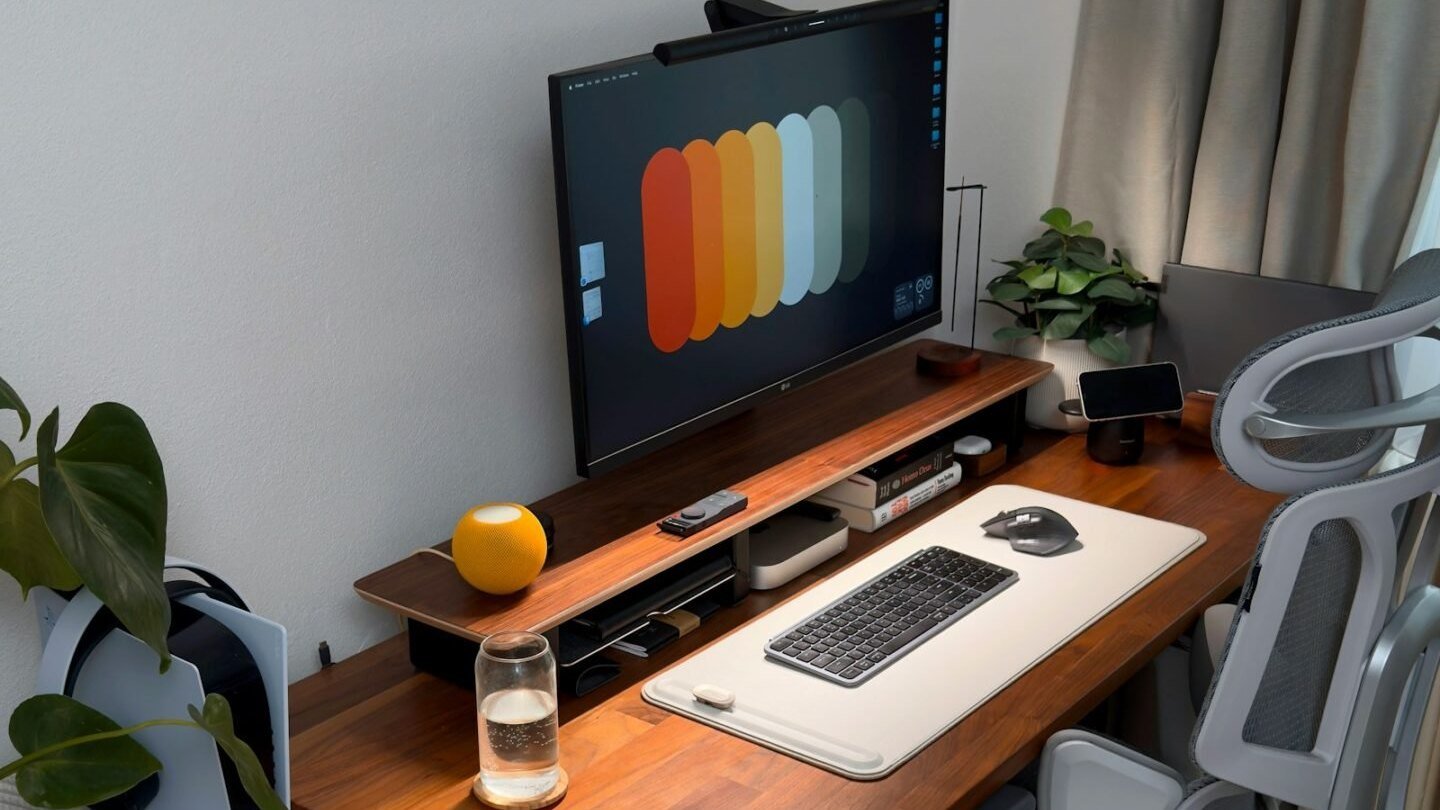
A large mat also makes it easier to set the keyboard and mouse at a comfortable distance. Our guide to keyboard and mouse positioning covers how to arrange them.
Logitech G203 LIGHTSYNC
- Who it suits: the gamer still using the basic mouse that came with their PC.
- Why it makes a good gift: the sensor adjusts from 200 to 8,000 DPI, it has six programmable buttons, weighs 85 g and has LIGHTSYNC RGB lighting with up to 16.8 million colours, all set up in Logitech G HUB. Logitech’s list price puts it in this band, and it is often discounted well below it.
- The catch: it is wired only, and the side buttons are on the left, so it is not ideal for left-handed players despite its simple shape.
- Compatibility: USB-A. G HUB runs on Windows and macOS.
Razer DeathAdder Essential
- Who it suits: the right-handed gamer who wants a familiar, full-size gaming mouse.
- Why it makes a good gift: it uses a 6,400 DPI optical sensor, five programmable buttons and Razer mechanical switches rated for up to 10 million clicks, according to Razer’s product page.
- The catch: the shape is right-handed only, and Razer’s Synapse software for customising it runs on Windows, not macOS.
- Compatibility: wired USB. Works as a plain mouse on any PC or Mac without software.
Corsair ST50 Premium Headset Stand
- Who it suits: the gamer whose headset lives on the desk, the floor or the back of the chair.
- Why it makes a good gift: it is anodized aluminium with a rubberised non-slip base, and it holds the headset by its headband at least 4 inches off the desk, which Corsair says helps prevent wear on the ear cushions.
- The catch: it is only a stand. It has no USB ports or charging, so if they also need more ports, pair it with the Anker hub above.
- Compatibility: any over-ear headset, wired or wireless.
What to check before you buy
- Platform: everything here works on a Windows PC. On a Mac, the Logitech mouse can be customised in G HUB, while the Razer mouse works but cannot be customised.
- Connection: the mice and hub use USB-A. Many newer laptops have only USB-C ports, so a laptop gamer may need an adapter.
- Space: measure the desk before buying an XXL mat, and check there is room beside the monitor for a headset stand.
- Who it’s for: both mice suit right-handed players. For a left-handed gamer, choose the mat, stand or hub instead.
If they are planning a bigger upgrade such as a new graphics card, check their power supply first. Our gaming PC power consumption guide shows typical wattage by GPU tier, and our breakdown of what a gaming setup costs helps if you are pricing a bigger present.
Gifts to skip
- No-name keyboard and mouse bundles. Cheap combo packs with heavy gaming branding usually replace gear the person already has with something worse.
- A second mouse they don’t need. If they already use a gaming mouse they like, a mat, stand or hub is a safer choice.
- Console accessories by mistake. PlayStation and Nintendo accessories won’t help someone who only plays on PC, so check which controller they use.
For more on choosing and upgrading a gaming PC, browse our Gaming PCs guides.
Photos: Jaime Marrero and Matúš Gocman on Unsplash, free to use under the Unsplash License.