
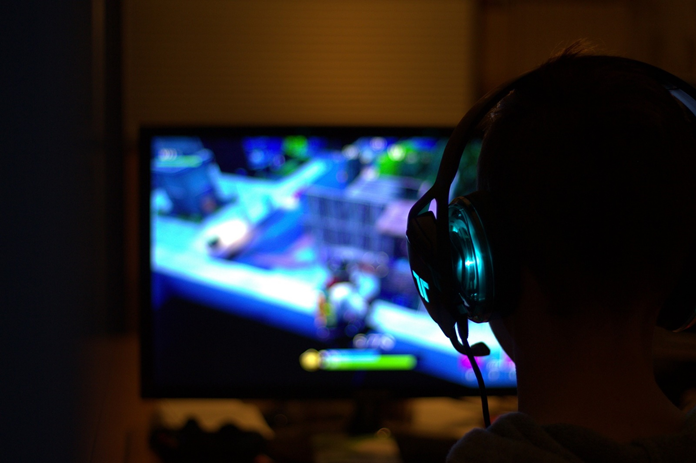
The answer to measuring the lifespan of a gaming computer isn’t a simple one. It depends on how often you use the PC, how well you maintain it, and the quality of the components you bought in the first place.
The short version: a well-maintained gaming PC will keep physically working for 8 to 10 years, but it will stop running current games well after about 3 to 6 years. Those are two different lifespans, and confusing them is why advice on this varies so wildly. Hardware failure is rarely what forces the upgrade. Falling behind new games is.
Which of those two numbers matters depends entirely on what you play. If you only play older or less demanding titles, the physical lifespan is your limit and you can go close to a decade. If you want the latest releases at high settings, you will be looking at component upgrades every few years regardless of whether anything has broken.
Table of Contents
Signs that your gaming PC needs an upgrade:
Your PC might degrade quickly if you do not maintain it regularly. Anyhow, sooner or later it will begin to show signs that you have used it to its capacity and it needs an upgrade now.
- The PC cannot play new games smoothly.
- Frame rates drop for even the older games that used to run smoothly.
- Loading times for games or heavy software increases.
- Cannot install the latest operating system or it keeps lagging even when installed.
- Video editing experience becomes really bad.
- The PC heats up quite quickly.
- Screen crashes or blue screen errors appear often.
How often you should upgrade:
There is no single answer, but four things decide it in practice.
Budget
Balance performance against what you can actually spend, and put the money where it changes frame rates. Moving from a SATA SSD to an NVMe drive, or stepping the GPU up a tier, does more for gaming than spending the same money on peripherals. Avoid cutting corners on the GPU and the power supply, which are the two parts that limit everything else.
Compatibility
Not every part works with every system, and this is where most upgrade plans come unstuck. Check the CPU socket and chipset against your motherboard, the RAM generation (DDR4 and DDR5 are not interchangeable), the physical clearance for a longer GPU inside your case, and the wattage and connectors your power supply provides. Getting the power supply wrong is the single most common mistake.
Future-proofing
Buy slightly ahead of what you need now rather than exactly what you need. A GPU with more VRAM, a CPU with more cores, and support for current features like ray tracing and AI upscaling will stay usable longer, because new games increasingly assume them. The aim is a machine that runs major releases for the next three to five years, not one that only just runs today’s.
Upgrade one part, or replace the whole PC?
A single upgrade makes sense when one component is clearly the bottleneck and the rest of the system is still current. Replacing the whole machine makes more sense once the upgrade would cascade: a new GPU that needs a new power supply, a new CPU that needs a new motherboard and new RAM. When two or more of those apply, a full rebuild is usually the better value.
Which upgrades do I need?
There are various components you can upgrade depending on whether you need to play the latest games or the component has reached its capacity. The following parts of a gaming PC can be upgraded:
Graphics card
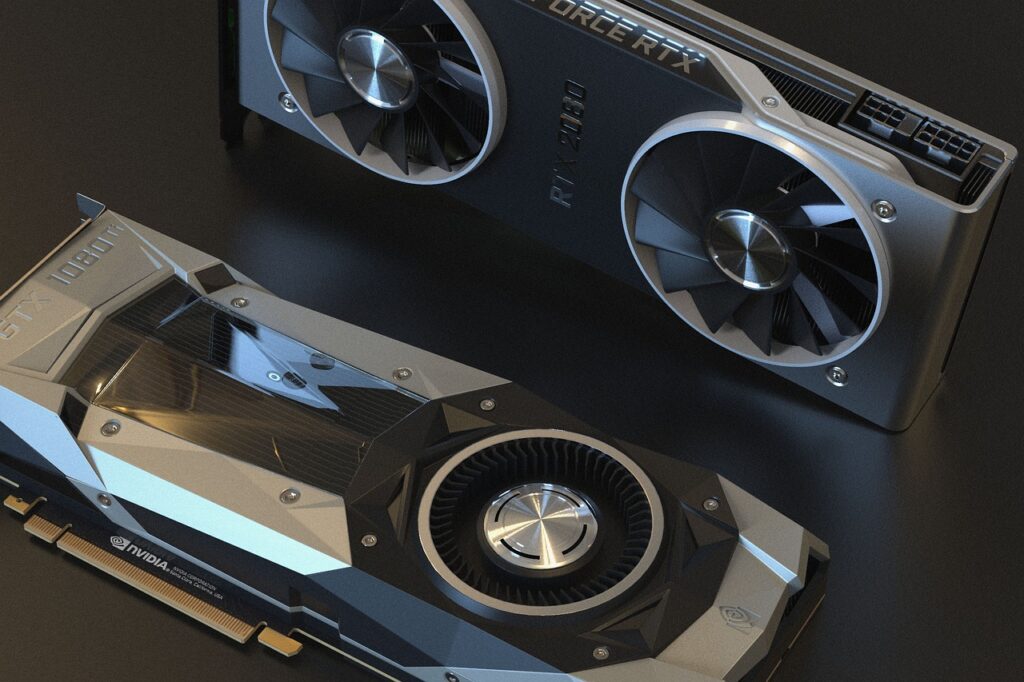
A graphics card (or GPU) is one of the most crucial components for gaming because it renders visuals, which leads to a seamless gaming experience. As the latest games are more and more high-end graphics, they need a better and better graphics card. The card you bought today might not run the games released in a year or so smoothly, So, the graphics card is the most often upgraded component in a gaming PC.
How long do graphics card last? Well, it depends on the level of use. High end games put a lot of work on GPU than does general use. It can last for 5-7 years if maintained properly and cooled with fans, but can become obsolete in 3-4 years with the release of newer and more graphically demanding games. So, if you bought a good GPU, it can go for a few years before it needs an upgrade. Upgrade when newer games stop running smoothly at the settings you want, rather than on a fixed schedule.
CPU
A CPU is the second most key component in gaming after GPU. It controls your game’s framerates to various tasks running in the background of your PC. If you want to ensure playing the latest high-end games, you’ll need to upgrade your CPU along with your GPU. Otherwise, the PC becomes a huge bottleneck and can’t run the high-end games even after you have upgraded the other components. With proper maintenance, your CPU can last for at least 4-5 years before you’ll actually need an upgrade.
RAM
A good RAM is needed for optimal PC performance. If you can no longer run multiple apps at once or newer games keep lagging, your RAM might be the problem. Complex software and web browsers eat a lot of RAM. So, you need a higher memory for running multiple tabs or software at once. If you notice diminishing performance over time, you might need to replace RAM. This happens only after a span of 5-6 years after the newer games take more and more RAM and eventually an upgrade is required.
Storage
As the games are updated and become more graphically demanding, they also require more space to store the additional data. Many latest games require space of more than 80GB and more after updates are released. So, if you are an enthusiastic gamer and like to keep up with the latest updates, you’ll definitely run out of space soon and will need to buy more space on your PC.
Motherboard
A motherboard is one of the least upgraded components of the PC. It can last for more than 10 years without needing an upgrade. A motherboard should only be upgraded when the latest technology of USB, hard drive or any other part is released and cannot be used with the old one. You should never upgrade a motherboard just for the sake of it and only when it’s necessary.
How to increase the life span of a gaming PC?
Gaming PCs aren’t cheap. You would definitely want your PC to last a long time before you would spend some extra cash to upgrade it. There are many precautions that one could take to increase their PC’s life span.
- To ensure your PC’s longevity regular cleaning with a can of compressed air to blow out any debris is a procedure that should be carried out every 3 to 6 months. This will not only make your gaming experience more enjoyable, but it will also extend the hardware’s life exponentially!
- Don’t eat or drink near your computer. Any food particle or spilled drink can damage your PC.
- Keep your PC in a cool space to prevent it from overheating on the days when it is extensively used.
- Check the wattage requirement of new components and use the appropriate power supply to avoid damage to the components.
How does overclocking affect the CPU and GPU:
Overclocking is the process of making your CPU or GPU run faster than it was originally designed to run by the manufacturer. Overclocking increases your PC’s performance and can keep up with the games and software the original GPU and CPU couldn’t run smoothly.
When should you overclock:
When your PC becomes old enough and cannot run the latest games smoothly, you can overclock to keep up with the high-end graphics of newer games. This will increase the “useful lifespan” of your PC.
Is it bad to overclock?
Overclocking isn’t necessarily bad for your PC but it does heat your CPU quickly because it’s making it work faster than it is originally meant to work. This can decrease the lifespan of your CPU and GPU but you can slow this process by upgrading your cooling system. Invest in fans and this will increase the lifespan of both CPU and GPU.
Conclusion:
Every person expects something different from their PC. Some want to play new releases at maximum settings and will be upgrading every few years. Others will happily turn settings down and get close to a decade out of the same machine. Neither is wrong, but knowing which one you are tells you what to budget for.
If your machine has reached the end of its useful gaming life, it does not have to be scrapped. An old gaming PC makes a capable network attached storage server, and an older graphics card still has several practical second lives.