
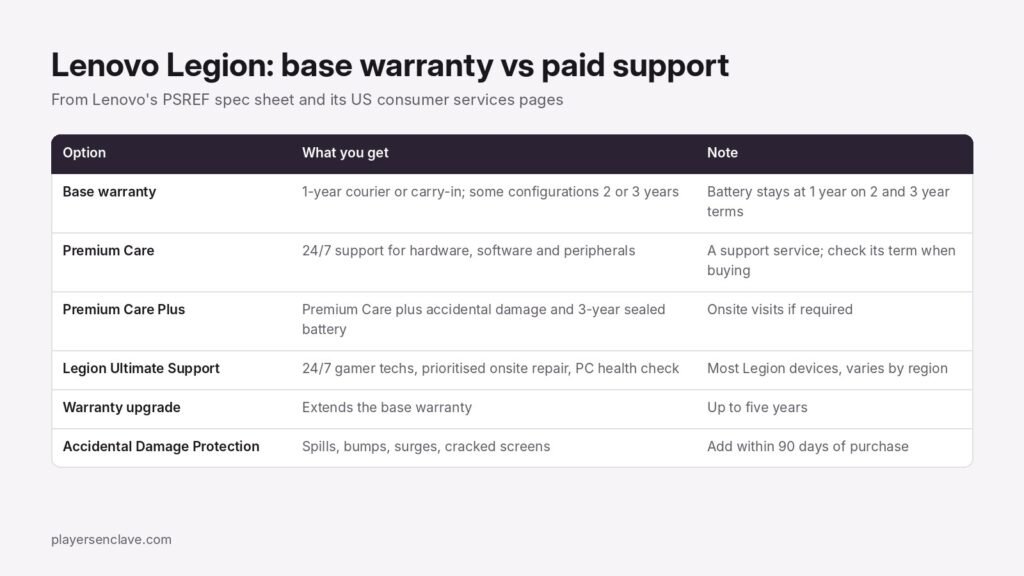
Quick answer: Lenovo’s spec sheet for the Legion Pro 7 Gen 10 lists a one-year courier or carry-in warranty as the base option, with some configurations sold with two or three years. Premium Care adds 24/7 support for hardware, software and peripherals. Premium Care Plus adds accidental damage and a three-year sealed battery warranty, and Legion Ultimate Support adds gamer-focused techs and prioritised onsite repair. Accidental damage cover has to be added within 90 days of purchase.
Checked against Lenovo’s PSREF spec sheet for the Legion Pro 7 16IAX10H, its US consumer services page, its Legion Ultimate Support page and its warranty lookup pages, November 2026.
What warranty does a Legion come with?
Lenovo’s PSREF spec sheet for the Legion Pro 7 16IAX10H lists these base warranty options:
- 1-year courier or carry-in service
- 2-year courier or carry-in, with the battery covered for 1 year
- 3-year courier or carry-in, with the battery covered for 1 year
- 1-year courier or carry-in with 2-year system board service, in Korea only
Only one option applies to any given configuration, so the warranty depends on the exact model and the market you buy it in. Courier or carry-in means the laptop goes to Lenovo, or you take it to a service centre, rather than a technician coming to you.
Premium Care, Premium Care Plus and Legion Ultimate Support
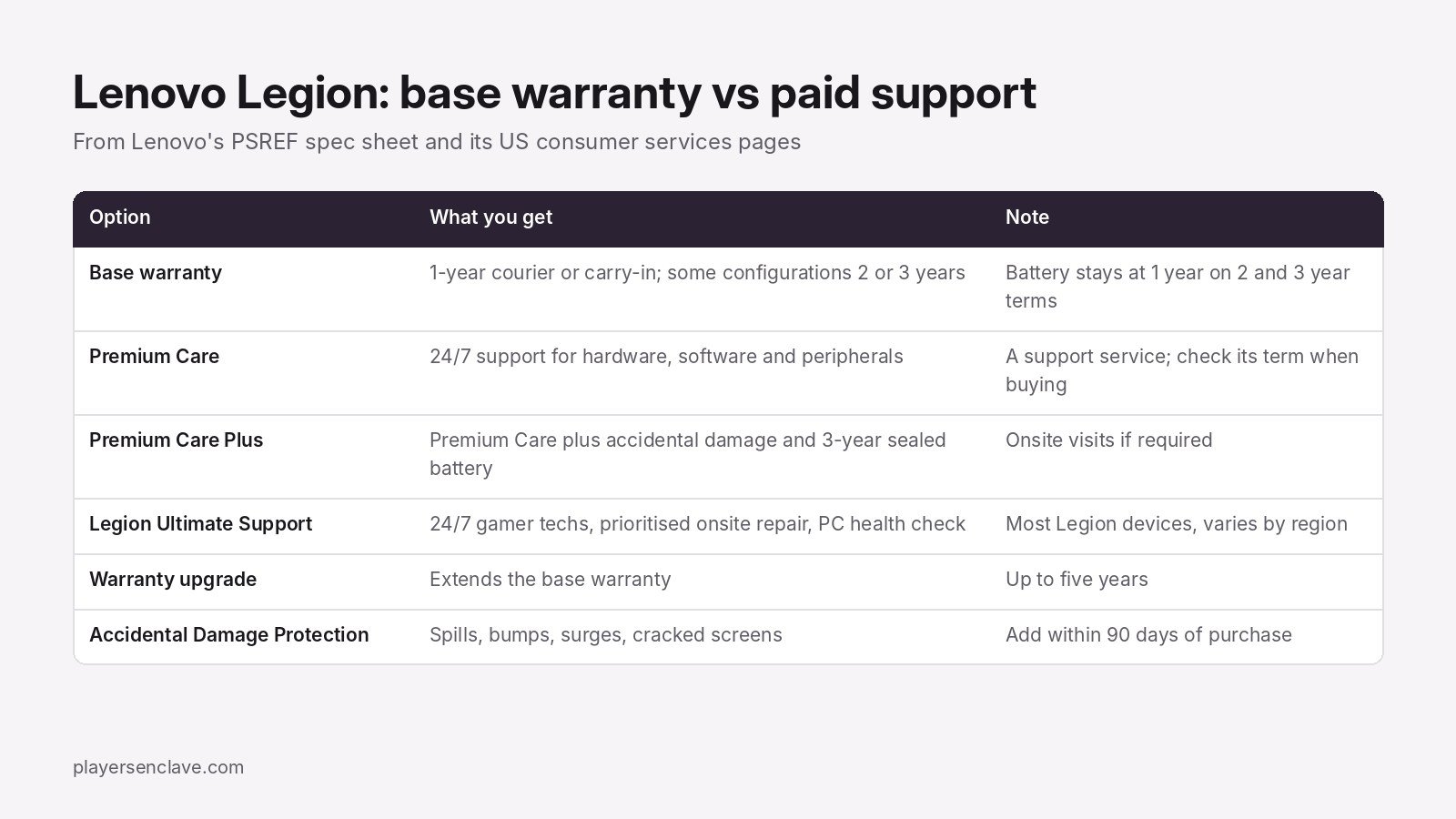
- Premium Care: Lenovo’s US services page describes it as 24/7/365 support covering hardware, software and peripheral issues.
- Premium Care Plus: everything in Premium Care, plus Accidental Damage Protection, a three-year sealed battery warranty, and onsite visits with parts and labour if required.
- Legion Ultimate Support: Lenovo’s Legion support page lists 24/7/365 help by chat, email and phone from “expert gamer techs”, prioritised onsite repair, hardware and software support, and a preventative PC health check. Lenovo says it works with most Legion devices but varies by region and model.
- Warranty upgrade: the same page says you can extend the base warranty for up to five years.
Accidental damage and battery cover
The standard warranty covers defects, not accidents. Lenovo’s Accidental Damage Protection covers spills, bumps, power surges and cracked screens, with unlimited repairs at no additional repair fee, but Lenovo says it “can only be added within ninety days of purchase”. If you are going to want it, decide in the first three months.
The Sealed Battery Warranty replaces a battery that has degraded after the first year, for up to three years. That matters on a gaming laptop, where the base warranty on two- and three-year terms still covers the battery for only one year.
How to check your Legion’s warranty
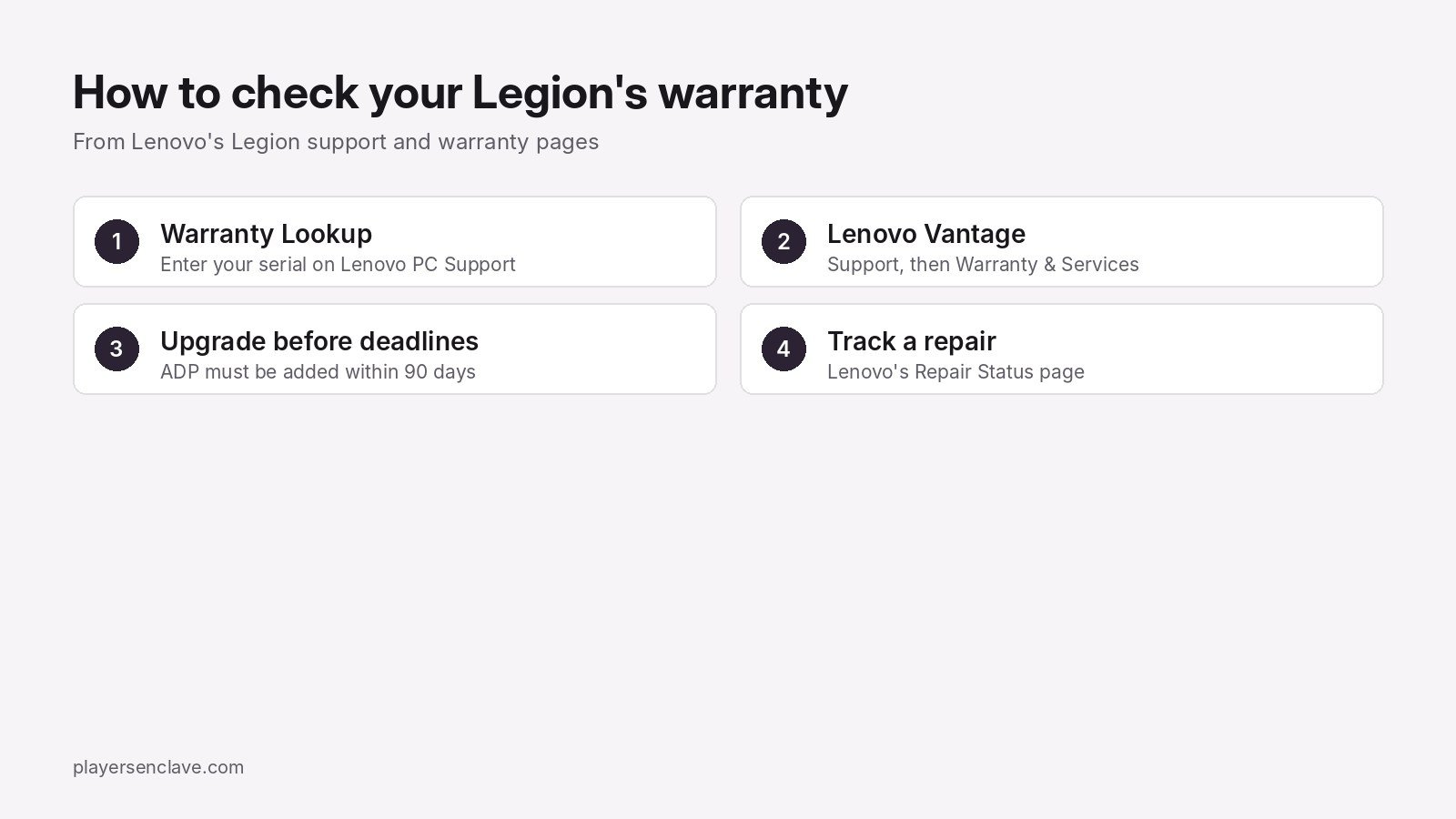
- Use Warranty Lookup on Lenovo’s PC Support site and enter your serial number to see your current coverage.
- Or open Lenovo Vantage, go to the Support section and choose Warranty & Services, where Lenovo says you can also add or upgrade services.
- If the laptop goes in for repair, follow it on Lenovo’s Repair Status page.
Does the warranty work abroad?
Do not assume it does. Lenovo’s International Warranty Service pages describe the program for ThinkPad, ThinkCentre and ThinkStation products and point IdeaPad owners to a separate page. The Legion pages we checked do not mention international service, so look up your serial number and ask Lenovo support before you travel with a Legion.
Is the extra cover worth it?
It depends on what you are worried about. If it is a fault after the first year, a warranty upgrade is the relevant purchase. If it is drops and spills, only Accidental Damage Protection or Premium Care Plus helps, and the 90-day window applies. If it is getting help with settings and tuning, that is what Premium Care and Legion Ultimate Support are for. Lenovo’s own Legion guide notes that Performance mode may not be available on battery or with an under-rated adapter, which is worth ruling out before calling support about slow games.
For how Legion compares with its main rival, see ASUS ROG vs Lenovo Legion and ASUS vs Lenovo. To compare warranty terms across brands, see our guides for ASUS, MSI and Acer.
Diagrams: PlayersEnclave.