
In the highly competitive landscape of 2026 gaming hardware, Gigabyte has carved out a significant niche by offering some of the most competitively priced high-end machines on the market. Whether you are looking at the entry-level G5 series or the enthusiast-grade Aorus 16X and 17X models, the spec-for-dollar ratio is often unbeatable. However, a quick scroll through hardware subreddits and tech forums reveals a polarizing divide. While some users swear by their machines, others warn of “quality control lotteries” and software headaches. To determine if Gigabyte is a reliable brand in 2026, we have to look past the spec sheets and examine the real-world durability of their latest chassis designs and customer support systems.
The Evolution of the Aorus Build Quality
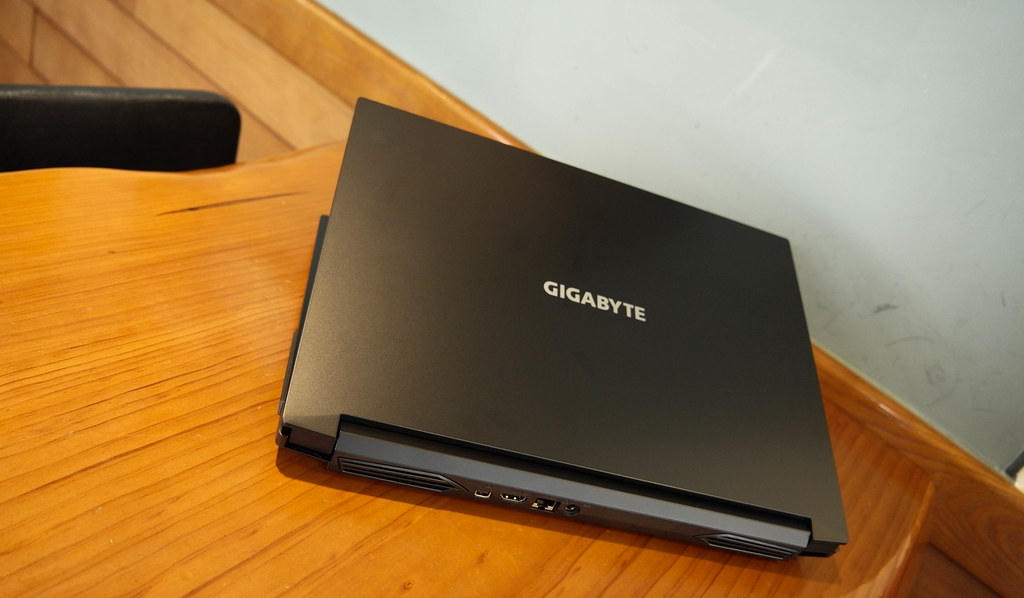
For years, Gigabyte’s premium Aorus line was criticized for having a “plastic-heavy” feel compared to the unibody designs of Razer or the aluminum finishes of the Lenovo Legion. In 2026, Gigabyte has made massive strides in structural engineering. The latest Aorus 16X models utilize a CNC-milled magnesium-aluminum alloy that has significantly reduced the “keyboard deck flex” that plagued earlier generations.
The hinge design—historically a weak point for Gigabyte—has also been reinforced with a dual-axis steel mechanism. In terms of pure durability, a 2026 Aorus is significantly more rugged than the models from three or four years ago. However, the budget-friendly “G-Series” (G5, G6) still utilizes a high-percentage plastic build. While this keeps the weight and price down, these models are more susceptible to “chassis creak” and wear-and-tear on the palm rests over long-term use.
The Software Dilemma: Gigabyte Control Center (GCC)
If you ask the Reddit community about the #1 reason to avoid Gigabyte, the answer is almost always the software. The Gigabyte Control Center (GCC) is the hub for managing fan speeds, RGB lighting, and the “AI Power Boost” features for the RTX 50-series GPUs. Historically, GCC has been prone to high CPU overhead and occasional bugs that can cause the laptop to “hang” when switching between power profiles.
In 2026, while the stability of GCC has improved via constant firmware updates, it still lacks the polish of Lenovo Vantage or ASUS Armoury Crate. Users often report that the “Automatic AI” mode can be overly aggressive with fan speeds, ramping up the noise even when the laptop is relatively cool. For a “reliable” experience, many Gigabyte owners on forums recommend a “clean install” of Windows and using third-party open-source tools to manage fan curves, which is a hurdle that casual users might not want to jump over.
The “QC Lottery”: Real or Myth?
The term “Quality Control (QC) Lottery” is frequently used when discussing Gigabyte. This refers to the consistency of the hardware out of the box. In 2026, the two most cited issues in the community are “backlight bleed” on the IPS panels and “coil whine” on the higher-end RTX 5080 models. Coil whine—a high-pitched buzzing sound from the electrical inductors—does not affect performance or longevity, but it can be annoying in a quiet room.
Statistical data from large retailers suggests that Gigabyte’s return rates are only marginally higher than those of MSI or Acer. However, the perception of a “lottery” persists because Gigabyte’s factory calibration for thermal paste application can be inconsistent. It is not uncommon to find two identical Aorus laptops where one runs 10 degrees hotter than the other. For a tech-savvy user, a simple repaste solves this, but for a consumer looking for a perfect “out-of-the-box” experience, this inconsistency can be a red flag.
Thermal Performance and Longevity
Reliability is inextricably linked to heat. A laptop that runs at 95°C every day will inevitably have a shorter lifespan than one that runs at 80°C. Gigabyte’s “Windforce Infinity” cooling system in 2026 uses a unique five-heatpipe array and ultra-thin fan blades. On the Aorus models, this system is exceptionally good at moving heat away from the CPU and GPU.
The trade-off is noise. Gigabyte tends to favor a very “loud and proud” fan profile to ensure the components never hit the thermal throttle limit. This aggressive cooling strategy is actually a win for long-term reliability; by keeping the motherboard components cooler, Gigabyte reduces the risk of solder joint failure over a five-year period. If you can handle the “jet engine” sound during a heavy gaming session, the underlying hardware is actually very well protected.
Warranty and Support in the Modern Era
A brand’s reliability is truly tested when something goes wrong. This is the area where Gigabyte still has room for growth in 2026. While their global warranty coverage is standard, their “Return Merchandise Authorization” (RMA) process is often described by users as slow compared to the “On-Site” repair options offered by brands like Dell or Lenovo.
Gigabyte’s support centers are fewer and farther between, meaning you will likely have to ship your laptop away for several weeks if a repair is needed. For students or professionals who rely on their laptop as their primary machine, this lack of “Premium Support” options can be a dealbreaker. When buying a Gigabyte in 2026, it is highly recommended to purchase through a third-party retailer with a robust in-house exchange policy to bypass the manufacturer’s RMA process for the first year.
Concluding Remarks
Is Gigabyte a reliable brand in 2026? The answer is a nuanced “Yes, for the right buyer.” If you are a value-seeker who understands how to tweak software settings and doesn’t mind a slightly louder fan, Gigabyte offers some of the best-engineered internal cooling and hardware performance in the industry. The “Aorus” line, in particular, has evolved into a premium contender that can stand toe-to-toe with the best from ASUS. However, if you demand a “silent” experience and world-class customer service, you might find the “Gigabyte experience” a bit too unpolished. Gigabyte builds fast, cool-running machines, but they require a user who is willing to be an active participant in the maintenance of their hardware.