
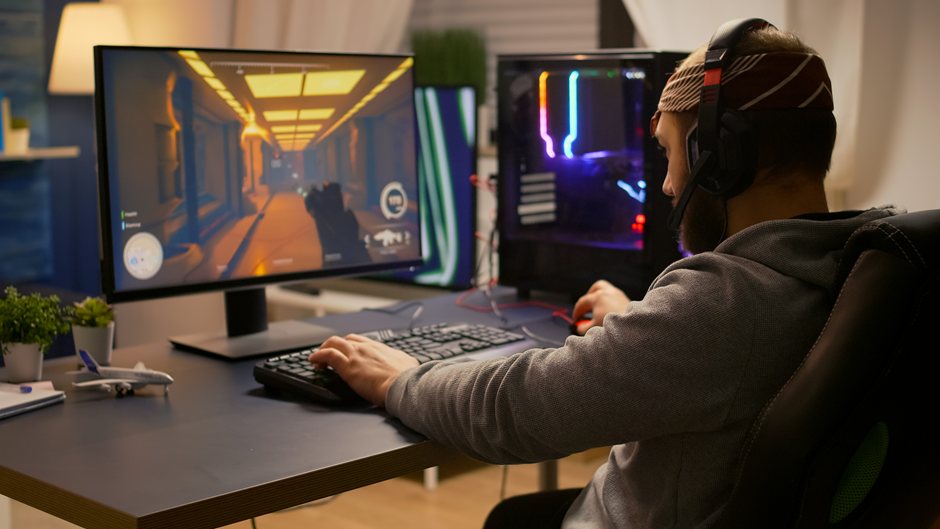
If you are looking for a gaming monitors under 300$ that won’t break the bank, you might be interested in some of the options listed here that offer a wide variety of options. These gaming monitors offer impressive performance and features for a reasonable price, and they can enhance your gaming experience without compromising on quality. Here are some of the best gaming monitors under 300$ that you can buy right now.
The best gaming monitor under 300$: ViewSonic Elite XG240R
This monitor is a great choice for gamers who want a fast and smooth gameplay. It has a 24-inch TN panel with a 1080p resolution and a 240Hz refresh rate, which means it can display up to 240 frames per second. This gives you an edge in fast-paced games like shooters and racing games, as you can react faster and see more details.
The monitor also supports FreeSync and G-SYNC compatibility, which means it can sync its refresh rate with your graphics card to eliminate screen tearing and stuttering. The monitor has a sleek design with RGB lighting on the back and a fully adjustable stand. It also has decent color accuracy and contrast ratio, as well as low input lag and excellent response time.
The best ultrawide gaming monitor under 300$: AOC CQ34G2
If you want to immerse yourself in your games with a wider field of view, you might want to check out this ultrawide monitor from AOC. It has a 34-inch VA panel with a 2560×1080 resolution and a 1500R curvature, which makes the image more realistic and engaging. It also has a 144Hz refresh rate and FreeSync support, which ensure smooth motion and minimal tearing. The monitor has good color reproduction and contrast ratio, as well as wide viewing angles and decent brightness. It also has low input lag and fast response time, as well as built-in speakers and a tilt-only stand.
The best 27-inch gaming monitor under 300$: Dell Gaming S2721HGF
This monitor is another good option for gamers who want a larger screen size without sacrificing performance. It has a 27-inch VA panel with a 1080p resolution and a 144Hz refresh rate, which provide clear and fluid images. It also supports FreeSync Premium and G-SYNC compatibility, which reduce tearing and stuttering in variable frame rate games. The monitor has good color accuracy and contrast ratio, as well as decent brightness and viewing angles. It also has low input lag and great response time, as well as a curved screen and an ergonomic stand.
The best FreeSync gaming monitor under 300$: Asus Tuf Gaming VG24VQR
This monitor is ideal for gamers who have an AMD graphics card and want to take advantage of FreeSync technology. It has a 24-inch VA panel with a 1080p resolution and a 165Hz refresh rate, which deliver smooth and responsive gameplay. It also supports FreeSync Premium, which ensures tear-free gaming even at low frame rates. The monitor has excellent color accuracy and contrast ratio, as well as high brightness and wide viewing angles. It also has low input lag and superb response time, as well as a backlight strobing feature that can reduce motion blur. It also has a curved screen and an adjustable stand.
The best G-Sync gaming monitor under 300$: Asus VG278Q
This monitor is perfect for gamers who have an NVIDIA graphics card and want to enjoy G-SYNC technology. It has a 27-inch TN panel with a 1080p resolution and a 144Hz refresh rate, which provide crisp and fluid images. It also supports G-SYNC, which synchronizes the monitor’s refresh rate with the GPU’s frame rate to eliminate tearing and stuttering. The monitor has decent color accuracy and contrast ratio, as well as high brightness and narrow viewing angles. It also has low input lag and outstanding response time, as well as built-in speakers and an ergonomic stand.
Final words
These are some of the best gaming monitors under 300$ that you can buy right now. They offer great value for money and can improve your gaming experience significantly. Whether you want a fast, smooth, immersive, or adaptive gaming monitor, you can find one that suits your needs and budget among these options. Want to see a guide to gaming monitors? Here is a list of options
Happy gaming!