
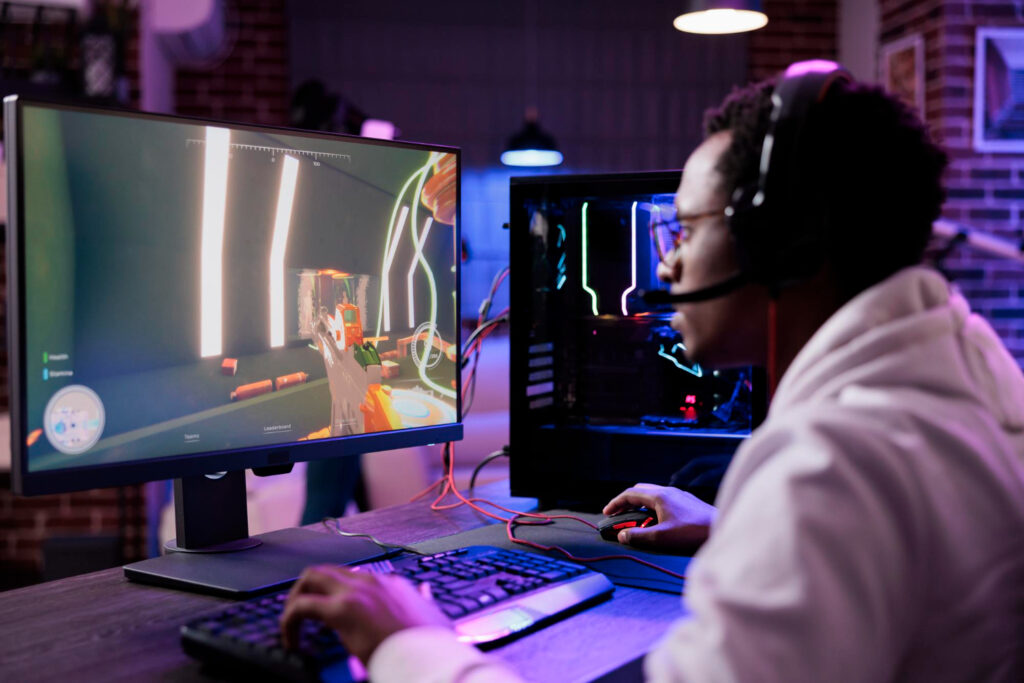
A monitor can make or break your immersion, performance, and enjoyment of your favorite games. But can you use any monitor for gaming? Or should you invest money in getting a gaming monitor for better visuals?
The answer is not so simple. While you can technically use any screen for gaming, not all monitors are created equal in gaming features and specifications. Some monitors are better suited for gaming than others. It also depends on what kind of games you play, the PC you have, and your budget.
In this blog post, we’ll cover five things you need to know before choosing a display for your gaming PC specifically in 2026. Moreover, we’ll explain what each of these factors means, why it matters for gaming, and what kind of monitor you should look for based on your needs and preferences. By the end of this post, you’ll become quite adept at choosing the right screen for your gaming experience.
Table of Contents
So first up, we’ll discuss how resolution affects your gaming experience.
Resolution of Gaming Monitors
Firstly let’s begin with the definition of what resolution means. Resolution is the number of pixels on a display or screen. A single pixel is a tiny dot on the monitor screen that forms part of the image. The more pixels a monitor has, the sharper and clearer the image. However, higher resolution also means higher demand for your graphics card. So you need to balance the resolution with your PC’s performance.
There are different resolution options available for monitors, such as
-
-
- HDMI (high-definition multimedia interface),
- DisplayPort (DP),
- DVI (digital visual interface),
- and VGA (video graphics array).
-
The recommended resolution for gaming PCs depends on your preference, budget, and PC capability. Generally speaking, you should aim for at least 1080p monitor resolution for a decent gaming experience. If you want to go higher, ensure your GPU can handle it.
Refresh rate
Refresh rate (measured in hertz (Hz)) is the number of times a monitor updates the image on the screen per second. The higher the refresh rate, the smoother and more fluid the motion will be on the screen. This is especially important for fast-paced games like first-person shooters (FPS) or racing games, where every millisecond counts.
The standard refresh rate for most displays is 60 Hz, which means the monitor updates the image 60 times per second. However, for gaming purposes, you may want to look for monitors with higher refresh rates of 120 Hz or 144 Hz. These monitors can display more frames per second (FPS), reducing motion blur and screen tearing.
In case you don’t know, screen tearing is when the monitor image appears split or distorted due to mismatched refresh rates between the monitor and the graphics card.
We also have covered the discussion about refresh rates in much more detail in this post, where we discuss the new 165 Hz monitor in depth.
Nonetheless, the recommended refresh rate for gaming PCs depends on the type of games you play and your PC’s GPU performance. Generally speaking, you should aim for at least a 60 Hz refresh rate for a smooth gaming experience. If you want to go higher, ensure your graphics card is up to the mark.
Response Time of The Monitor
Response time is the time it takes for a pixel on a screen to change from one color to another. It is measured in milliseconds (ms), which means thousandths of a second. In gaming, the lower the response time, the faster and more accurate the image on the screen will be. This is especially important for games that require quick reactions and precision, such as shooters or fighting games.
The standard response time for most monitors is around 5 ms. In other words, a pixel takes 5 milliseconds to change color. However, for gaming purposes, you may want to look for monitors with lower response times of 1 ms or 2 ms, which can reduce ghosting and input lag. Ghosting happens when an image leaves a trail behind it due to slow pixel transitions. While input lag happens when there is a delay between your input (such as mouse click or movement or keyboard press) and its effect on the screen.
The recommended response time for gaming PCs depends on the gaming genre. Generally speaking, you should aim for at least 5 ms if you want decent image quality and gameplay. However, if you want more accuracy and speed, you can go for lower response times like 1 ms or 2 ms.
Panel Technology
Panel technology is simply the type of display panel used in a monitor. There are different types of panel technologies available for monitors, such as
We explain each of the types of panel technology mentioned above in the following headings.
TN PANELS
TN panels are the oldest and cheapest type of panel technology. They have fast response times and high refresh rates, which make them ideal for competitive gaming. However, they also have poor color reproduction, low contrast ratios, and narrow viewing angles, which make them unsuitable for graphic design, photo editing, or video editing.
IPS PANELS
IPS panels are the most popular and versatile type of panel technology. They have excellent color accuracy, wide viewing angles, and good contrast ratios, which make them ideal for graphic design, photo editing, video editing, or general use. However, they also have slower response times and lower refresh rates than TN panels, which may cause some motion blur or ghost in fast-paced games.
VA PANELS
VA panels are a compromise between TN and IPS panels. They have better color reproduction and contrast ratios than TN panels but worse than IPS panels. They also have wider viewing angles than TN panels but are narrower than IPS panels. They have slower response times than both TN and IPS panels, which may cause some ghosting or smearing in fast-paced games.
OLED
OLED panels are the newest and most advanced type of panel technology. They have pixels that light up individually without a backlight. This means they can produce deeper blacks and higher contrast ratios than any other panel type. They also have excellent color accuracy, wide viewing angles, fast response times, and high refresh rates, which make them ideal for any use. However, they are also expensive, rare, and prone to burn-in issues.
Generally speaking, you should aim for IPS panels for the best image quality and versatility. However, if you want the fastest performance and lowest cost, TN panels should be your choice. If you want a balance between image quality and performance, you can go for VA panels, because they’ll give you the best results no matter what you throw at them. If you want the ultimate display experience and don’t mind spending money, you can go for OLED panels.
Compatibility
There are some things you need to consider when choosing a monitor for your gaming PC in terms of compatibility. We explain them one by one in the headings below.
Connection Port Type
Firstly consider checking whether your PC has ports that accommodate the monitor? More specifically, you must ensure your monitor has the same ports as your PC’s GPU or motherboard. The most common connection types found in both old and new monitors are:
HDMI and DisplayPort are the most modern and versatile connection types that support high resolutions and refresh rates. DVI is an older connection type that supports up to 1440p resolution at 60 Hz or 1080p resolution at 144 Hz. VGA is an outdated connection type that supports up to 1080p resolution at 60 Hz.
Adaptive Sync
Adaptive sync is a feature that synchronizes the refresh rate of your monitor with the frame rate of your graphics card to eliminate screen tearing and stuttering. There are two main types of adaptive sync technologies: FreeSync (AMD) and G-Sync (NVIDIA). FreeSync works with AMD graphics cards and monitors that support FreeSync. G-Sync works with NVIDIA graphics cards and monitors that support G-Sync. Some monitors support both FreeSync and G-Sync and might have a higher price.
Aim for a monitor having the same connection type and adaptive sync technology as your graphics card. However, if you have a low-end graphics card or a tight budget, you may not need adaptive sync or high resolutions, or refresh rates.
So, what’s The Takeaway?
Choosing a monitor for your gaming PC can be a daunting task due to so many options. However, by knowing the five things we covered in this blog post: resolution, refresh rate, response time, panel technology, and compatibility; you can narrow down your choices and find the best monitor for your gaming PC.
We hope this blog post was helpful and informative for you. If you have any questions or feedback, feel free to leave a comment below.