
In the 2026 gaming laptop market, the gap in raw performance between flagship brands has narrowed significantly. With both ASUS and Lenovo utilizing the latest NVIDIA RTX 50-series GPUs and Intel Core Ultra processors, the deciding factor for most enthusiasts has shifted from frames-per-second to thermal sustainability. A laptop that can hit high speeds is useless if it throttles after fifteen minutes of play. When comparing the ASUS ROG (Republic of Gamers) lineup against the Lenovo Legion series, the battle is won or lost in the “cold zone” the efficiency of the heat pipes, the quality of the thermal interface material, and the intelligence of the fan curves.
The ASUS ROG Approach: Liquid Metal and Tri-Fan Technology
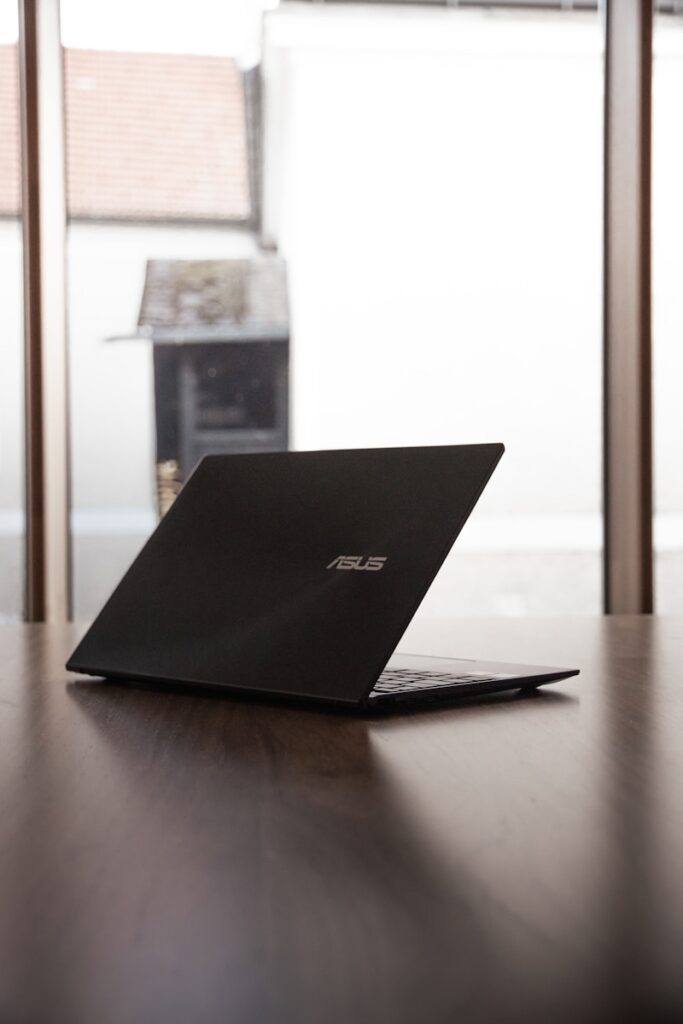
ASUS has positioned its ROG Strix and Zephyrus lines as the vanguard of extreme cooling. In 2026, ASUS continues to lead the industry in the application of Liquid Metal (specifically Thermal Grizzly Conductonaut Extreme) across almost its entire ROG catalog. Unlike traditional thermal paste, liquid metal has significantly higher thermal conductivity, allowing for a much faster transfer of heat from the silicon die to the vapor chamber.
However, the real innovation in the 2026 ASUS models is the “Tri-Fan” system. While most laptops rely on two fans, ASUS has integrated a third, smaller fan specifically dedicated to moving air across the GPU power delivery components and the VRAM. This prevents the “hot spotting” that often occurs in thin-and-light chassis. The ROG “Intelligent Cooling” software also allows for deep customization, giving users the ability to create aggressive fan curves that prioritize component longevity over acoustics, a feature highly valued by the hardcore overclocking community.
The Lenovo Legion Strategy: Coldfront 6.0 and Vapor Chambers

Lenovo has taken a different, perhaps more refined, approach with its Coldfront 6.0 cooling architecture. While ASUS focuses on the “intensity” of heat transfer through liquid metal, Lenovo focuses on the “volume” of heat dissipation. The Legion 7i and 9i Pro models utilize massive, full-coverage vapor chambers that span across both the CPU and GPU. This creates a larger surface area for heat to spread, preventing any single point of the motherboard from reaching critical temperatures.
Lenovo’s standout feature in 2026 is its “Legion AI Engine+.” This onboard chip uses machine learning to monitor sensor data in real-time and predict thermal spikes before they happen. Instead of reacting to heat after it has already built up, the AI adjusts the fan speed and power limits dynamically to maintain a consistent temperature. For many gamers, this results in a more stable experience with fewer “stutter” moments during intense gameplay, even if the peak temperatures are slightly higher than those of an ASUS machine.
Ergonomics and Surface Temperatures
A major point of difference between these two giants is where that heat ends up. ASUS designs their ROG laptops with “CoolZone” keyboard technology, which uses tiny perforations around the WASD keys to pull in cool air, keeping the user’s hands comfortable during long sessions. However, because ASUS often uses thinner chassis designs (especially in the Zephyrus line), the bottom of the laptop can become incredibly hot, making “lap gaming” almost impossible.
Lenovo, conversely, prioritizes the “desktop replacement” feel. The Legion series typically features a slightly thicker rear exhaust “lip.” This design choice allows the heat to be pushed out of the back of the machine, far away from the user’s hands and the screen. In thermal imaging tests for 2026 models, the Legion series consistently shows lower keyboard deck temperatures than the ROG Strix, making it the preferred choice for those who value tactile comfort over a slim profile.
Fan Noise and Acoustic Profiles
In 2026, fan noise has become a primary complaint among gaming laptop users. ASUS has made strides with its “Arc Flow Fans,” which feature variable thickness blades designed to reduce turbulence. In “Silent Mode,” an ASUS ROG laptop is virtually inaudible during light productivity. However, once the RTX 5080 is engaged, the high-pitched “whine” of the smaller ASUS fans can be more noticeable.
Lenovo’s fans tend to have a lower, deeper pitch. While the decibel levels might be similar to ASUS on paper, the sound is often described as “white noise” rather than a piercing whistle. This is due to Lenovo’s use of liquid crystal polymer (LCP) fan blades, which are more rigid and allow for higher RPMs with less vibration. For users who play without headphones, the Lenovo Legion’s acoustic profile is generally considered more tolerable for long-term use.
Maintenance and Long-Term Reliability
Maintenance is where these two brands diverge for the DIY community. ASUS’s use of liquid metal is a double-edged sword. While it provides superior cooling, it is difficult and dangerous to replace for the average user. If the seal on the liquid metal breaks during a DIY cleaning, it can short-circuit the motherboard.
Lenovo, on the other hand, uses “Phase Change” thermal pads in many of its Legion models. These provide near-liquid-metal performance but are solid at room temperature, making them much easier to service. For the user who plans to keep their laptop for four or five years and wants to perform their own repasting and dust cleaning, the Lenovo Legion offers a more “consumer-friendly” internal layout.
Concluding Remarks
Choosing between ASUS ROG and Lenovo Legion in 2026 comes down to your philosophy of performance. If you want the absolute lowest possible CPU temperatures and are willing to tolerate higher fan noise and a more delicate internal setup, the ASUS ROG and its liquid metal technology remain the performance king. However, if you prefer a balanced, AI-optimized system that prioritizes a quiet acoustic profile and ease of maintenance, the Lenovo Legion is the superior choice for most gamers. Both brands have reached a pinnacle of thermal engineering, ensuring that your 2026 gaming experience will be limited by your skills, not your hardware’s heat. Take look at our comprehensive guide to Asus vs. Lenovo laptops here.