
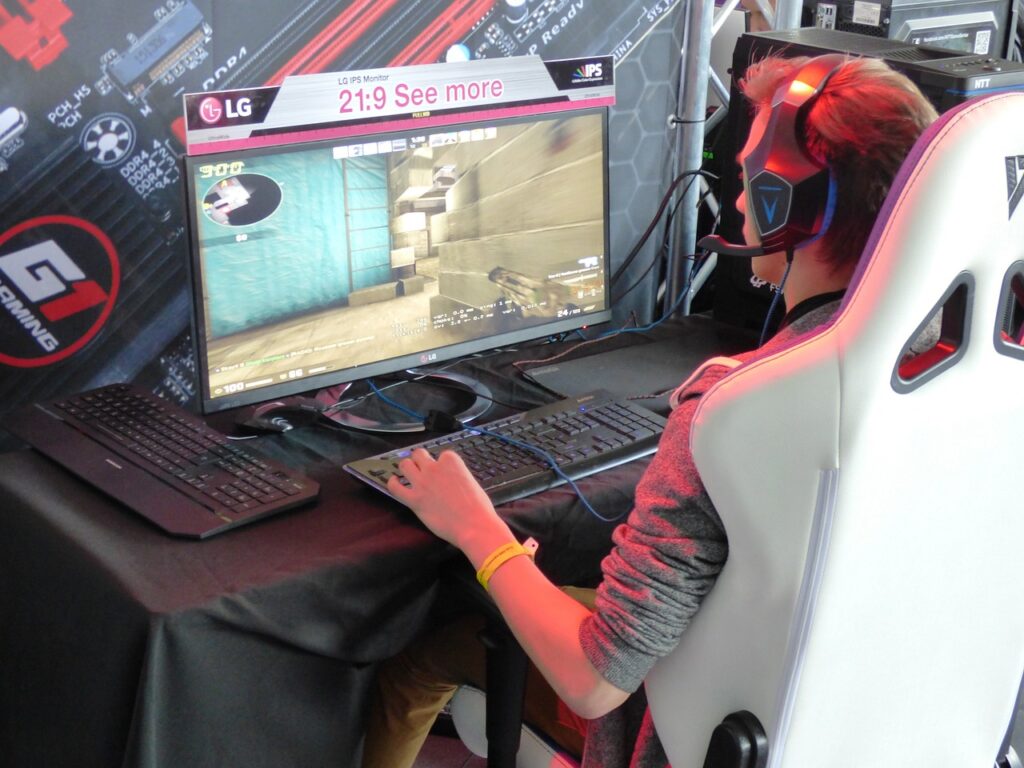
It is important it is to have a smooth and responsive gaming experience. A monitor’s refresh rate can make or break your gaming experience because it’s the face of your computer, right? But what exactly is refresh rate, and why does it matter for gaming?
Refresh rate is the number of times per second that your monitor updates the image on the screen. It is measured in hertz (Hz), and a higher refresh rate means a smoother and more fluid motion. For example, a 60Hz monitor refreshes the image 60 times per second, while a 144Hz monitor refreshes the image 144 times per second.
However, there is a new breed of monitors that offer an even higher refresh rate: 165Hz. These monitors are designed to provide the ultimate gaming experience, especially for fast-paced and competitive games. But is a 165Hz monitor good for gaming? And what are the benefits and drawbacks of using such a high refresh rate monitor? In this article, we will answer these questions and help you decide if a 165Hz monitor is worth it for your gaming needs in 2026.
Table of Contents
Firstly, let’s look into the benefits of owning a higher refresh rate monitor.
Benefits of a High Refresh Rate Monitor
A high refresh rate monitor can update the image on the screen more times per second than a standard monitor. The refresh rate is measured in hertz (Hz), and a higher refresh rate means a smoother and more fluid motion. For example, a 60Hz monitor refreshes the image 60 times per second, while a 165Hz monitor refreshes the image 165 times per second.
But what are the benefits of having a high refresh rate monitor for gaming? Here are some of the main advantages:
Reduced Motion Blur
Motion blur is the phenomenon where fast-moving objects appear blurry or smeared on the screen. This can reduce the clarity and realism of the game graphics and make it harder to track your enemies or targets. Motion blur is caused by two factors: the response time of the monitor and the refresh rate of the monitor.
The response time is the measure of how fast a pixel can change its color on the screen. It is measured in milliseconds (ms), and a lower response time means a faster pixel transition. A slow response time can cause ghosting, which is when a faint trail of the previous image remains on the screen.
The refresh rate is the measure of how fast the monitor can update the image on the screen. It is measured in hertz (Hz), and a higher refresh rate means a faster image update. A low refresh rate can cause stuttering, which is when the image appears to freeze or skip frames.
A high refresh rate monitor can reduce motion blur by updating the image more frequently and displaying more frames per second. This can create a sharper and smoother image that enhances your gaming experience.
Smoother gaming experience
A smoother gaming experience means that the game runs without lag, stuttering, or tearing. Lag is when there is a delay between your input and the game’s response. Stuttering is when the game appears to freeze or skip frames. Tearing is when the game image appears to split or tear across the screen.
A high refresh rate monitor can improve your gaming experience by reducing lag, stuttering, and tearing. A higher refresh rate means that the monitor can display more frames per second, which can reduce input lag and make your actions more responsive. A higher refresh rate also means that the monitor can sync better with your GPU’s frame rate, which can reduce stuttering and tearing.
However, to enjoy a smoother gaming experience with a high refresh rate monitor, you also need to have a powerful GPU that can produce enough frames per second to match or exceed your monitor’s refresh rate. Otherwise, you may still experience lag, stuttering, or tearing if your GPU cannot keep up with your monitor.
Increased responsiveness
Responsiveness is the measure of how fast your game reacts to your input. It is affected by factors such as input lag, frame rate, and refresh rate. Input lag is the delay between your input and the game’s response. Frame rate is the number of frames per second that your GPU can produce. The refresh rate is the number of frames per second that your monitor can display.
A high refresh rate monitor can increase your responsiveness by reducing input lag and displaying more frames per second. A lower input lag means that your game will respond faster to your commands, which can give you an edge in competitive games where every millisecond counts. A higher frame rate means that your game will show more details and movements, which can make it easier to aim and react.
However, according to Benq, to achieve increased responsiveness with a high refresh rate monitor, you also need to have a low-latency mouse and keyboard, a fast internet connection, and a powerful GPU that can produce enough frames per second to match or exceed your monitor’s refresh rate.
Reduced eye strain
Eye strain is the discomfort or fatigue that you may feel after staring at a screen for a long time. It can cause symptoms such as headaches, blurred vision, dry eyes, or eye irritation. Eye strain is caused by factors such as brightness, contrast, color temperature, flicker, blue light, and motion blur.
A high refresh rate monitor can reduce eye strain by reducing flicker and motion blur. Flicker is when the screen brightness changes rapidly due to changes in voltage or backlighting. Flicker can cause eye strain by making your eyes work harder to adjust to different levels of light. Motion blur is when fast-moving objects appear blurry or smeared on the screen. Motion blur can cause eye strain by making your eyes work harder to focus on moving images.
How a 165Hz Monitor Compares to Other Refresh Rates
A 165Hz monitor is a high refresh rate monitor that can display up to 165 frames per second. But how does it compare to other refresh rates that are available on the market? Here are some comparisons with 60Hz, 120Hz, and 240Hz monitors.
Comparison with 60Hz monitor
A 60Hz monitor is the standard refresh rate for most monitors and TVs. It can display up to 60 frames per second, which is sufficient for most casual gaming and media consumption. However, a 60Hz monitor can also suffer from motion blur, stuttering, and tearing when playing fast-paced or competitive games. A 60Hz monitor can also cause eye strain and fatigue after prolonged use.
A 165Hz monitor offers a significant improvement over a 60Hz monitor in terms of gaming performance and visual quality. A 165Hz monitor can display more than twice as many frames per second as a 60Hz monitor, which results in smoother motion, sharper images, and reduced input lag. A 165Hz monitor can also eliminate motion blur, stuttering, and tearing by syncing with your GPU’s frame rate. A 165Hz monitor can also reduce eye strain and fatigue by minimizing flicker and blue light.
Comparison with 120Hz monitor
A 120Hz monitor is a high refresh rate monitor that can display up to 120 frames per second. It is a popular choice for gamers who want a smooth and responsive gaming experience. A 120Hz monitor can handle most games at high settings and resolutions without any noticeable issues. A 120Hz monitor can also reduce motion blur, stuttering, and tearing by syncing with your GPU’s frame rate. A 120Hz monitor can also reduce eye strain and fatigue by minimizing flicker and blue light.
A 165Hz monitor offers a slight improvement over a 120Hz monitor in terms of gaming performance and visual quality. A 165Hz monitor can display more frames per second than a 120Hz monitor, which results in slightly smoother motion, sharper images, and reduced input lag. However, the difference between 120Hz and 165Hz may not be very noticeable for most gamers, especially if they are not playing very fast-paced or competitive games. The main advantage of a 165Hz monitor over a 120Hz monitor is that it can provide more headroom for future games that may require higher frame rates.
Comparison with 240Hz monitor
A 240Hz monitor is the highest refresh rate monitor that is currently available on the market. It can display up to 240 frames per second, which is four times as many as a standard 60Hz monitor. It is the ultimate choice for gamers who want the best possible gaming performance and visual quality. A 240Hz monitor can handle any game at any settings and resolution without any noticeable issues. A 240Hz monitor can also eliminate motion blur, stuttering, and tearing by syncing with your GPU’s frame rate. A 240Hz monitor can also reduce eye strain and fatigue by minimizing flicker and blue light.
A 165Hz monitor offers a decent compromise between a 120Hz monitor and a 240Hz monitor in terms of gaming performance and visual quality.
Types of Games That Benefit from a 165Hz Monitor
A 165Hz monitor can improve your gaming experience in any genre, but some types of games can benefit more from a high refresh rate monitor than others. Here are some examples of games that can take full advantage of a 165Hz monitor:
First-person shooter games
First-person shooter (FPS) games are one of the most popular and competitive genres in gaming. They require fast reactions, precise aiming, and smooth movement to succeed. A 165Hz monitor can give you an edge in FPS games by providing you with smoother and more responsive gameplay. A 165Hz monitor can reduce motion blur, stuttering, and tearing, which can make it easier to track your enemies and targets. A 165Hz monitor can also reduce input lag, which can make your actions more accurate and timely. A 165Hz monitor can also enhance the immersion and realism of the game graphics by displaying more details and movements.
Some examples of FPS games that can benefit from a 165Hz monitor are:
- Call of Duty: Warzone
- Counter-Strike: Global Offensive
- Apex Legends
- Overwatch
- Doom Eternal
Racing games
Racing games are another genre that can benefit from a high refresh rate monitor. They require fast reflexes, smooth steering, and accurate timing to win. A 165Hz monitor can improve your racing performance by providing you with smoother and more realistic gameplay. A 165Hz monitor can reduce motion blur, stuttering, and tearing, which can make it easier to see the road and the obstacles ahead. A 165Hz monitor can also reduce input lag, which can make your steering and braking more responsive and precise. A 165Hz monitor can also enhance the immersion and realism of the game graphics by displaying more details and movements.
Some examples of racing games that can benefit from a 165Hz monitor are:
- Forza Horizon 4
- Need for Speed: Heat
- F1 2021
- Dirt 5
- Project Cars 3
Action-adventure games
Action-adventure games are a genre that combines elements of action, exploration, puzzle-solving, and storytelling. They require quick thinking, skillful combat, and immersive exploration to enjoy. A 165Hz monitor can enhance your action-adventure experience by providing you with smoother and more engaging gameplay. A 165Hz monitor can reduce motion blur, stuttering, and tearing, which can make it easier to see the environment and the enemies around you. A 165Hz monitor can also reduce input lag, which can make your combat and movement more fluid and satisfying. A 165Hz monitor can also enhance the immersion and realism of the game graphics by displaying more details and movements.
Some examples of action-adventure games that can benefit from a 165Hz monitor are:
- Assassin’s Creed: Valhalla
- Ghost of Tsushima
- Red Dead Redemption 2
- Spider-Man: Miles Morales
- God of War
Factors to Consider Before Buying a 165Hz Monitor
Compatibility with computer hardware
You need to make sure that your computer has the necessary specifications to support a 165Hz monitor, such as a powerful graphics card, a fast processor, and enough RAM. Otherwise, you may not be able to enjoy the full benefits of a high refresh rate.
Budget
A 165Hz monitor is usually more expensive than a standard 60Hz monitor, so you need to consider how much you are willing to spend on it. You may also need to factor in the cost of upgrading your computer hardware if it is not compatible with a 165Hz monitor.
Screen size
The size of the monitor affects the viewing experience and the pixel density. A larger screen may offer more immersion and detail, but it may also require more desk space and distance from the monitor. A smaller screen may be more convenient and portable, but it may also have lower resolution and quality.
Panel type
The type of panel determines the color accuracy, contrast ratio, viewing angles, and response time of the monitor. There are three main types of panels: IPS, TN, and VA. IPS panels have the best color accuracy and viewing angles. However, they may have a lower contrast ratio and response time. TN panels have the fastest response time and lowest input lag. TN panels may have poor color accuracy and viewing angles. VA panels have the highest contrast ratio and good color accuracy. However, may have a slower response time and input lag.
Frequently Asked Questions About 165Hz Monitors
Can my computer handle a 165Hz monitor?
To answer this question, you need to check the specifications of your computer and compare them with the requirements of the monitor. You can use online tools such as Can You Run It or UserBenchmark to test your computer’s performance and compatibility with a 165Hz monitor. Generally speaking, you need a graphics card that can output at least 165 frames per second (FPS) at the resolution and settings of your choice, a processor that can handle the workload without bottlenecking the graphics card, and enough RAM to run the games smoothly.
Is a 165Hz monitor worth the investment?
This depends on your personal preference and gaming goals. A 165Hz monitor can offer a smoother and more responsive gaming experience than a standard 60Hz monitor, especially for fast-paced games such as first-person shooters, racing games, or sports games. However, some gamers may not notice or care about the difference in refresh rate, or they may prefer other features such as higher resolution, HDR, or G-Sync/Freesync. Ultimately, you need to weigh the pros and cons of a 165Hz monitor and decide if it suits your needs and budget.
Are there any downsides to a 165Hz monitor?
A 165Hz monitor may have some drawbacks depending on the model and your setup. For example, some 165Hz monitors may have lower resolution, brightness, or color quality than other monitors with lower refresh rates. Some 165Hz monitors may also consume more power and generate more heat than standard monitors. Additionally, some gamers may experience eye strain or headaches from using a high refresh rate monitor for long periods. However, these issues rarely pop up on monitors and often have easy and neat fixes.
Conclusion
In this blog post, we have discussed the benefits of a 165Hz monitor for gaming, such as smoother motion, reduced blur, lower input lag, and increased competitiveness. We have also explained how a 165Hz monitor can enhance the immersion and realism of games that support high frame rates.
A 165Hz monitor is not a necessity for gaming, but it can definitely improve your gaming experience if you have the right computer hardware and preferences. However, before you buy a 165Hz monitor, you should also consider other factors such as your budget, screen size, and panel type. A 165Hz monitor may not be the best option for everyone, but it can be a great choice for gamers who value performance and responsiveness over other features.
Thank you for reading this blog post! If you have any questions or comments, feel free to leave them below.